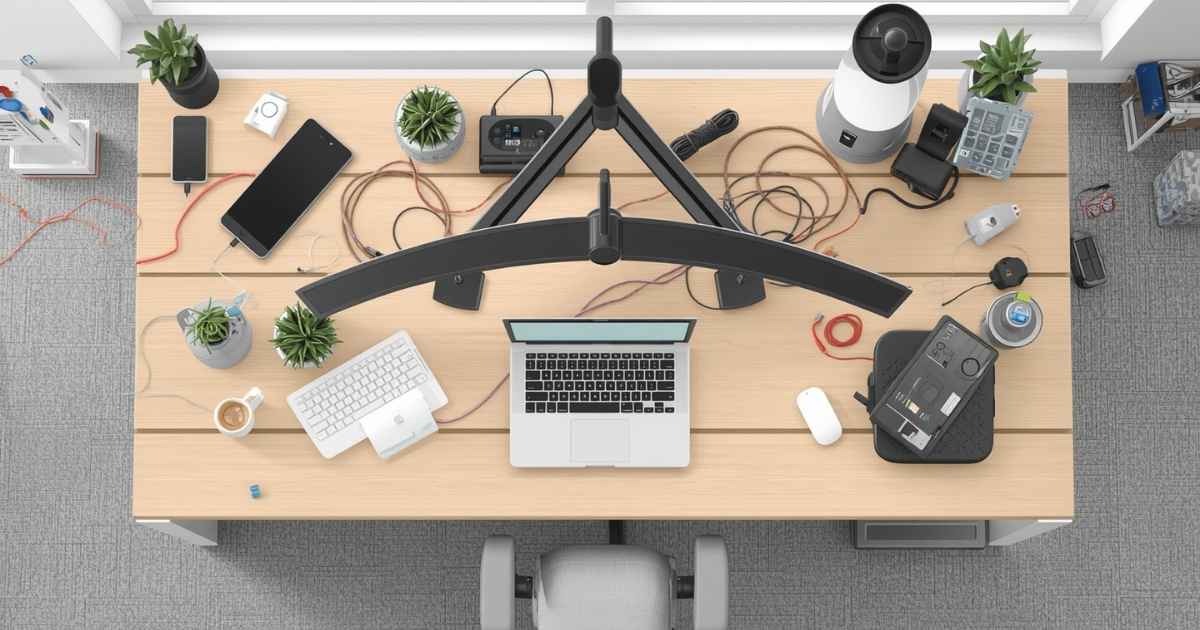
Tangled cables are one of those small, daily frustrations that quietly drain your energy. Whether it is a bird’s nest of chargers behind your nightstand or a jungle of cords under your desk, cable clutter makes even a well-decorated space look messy. The good news? You do not need to spend a fortune or hire anyone to fix it.
From budget-friendly DIY tricks to smart desk accessories, these cord management ideas are practical, easy to implement, and actually work. Whether you are setting up a home office, upgrading your gaming station, or just tired of tripping over wires in the living room, this guide covers everything you need to organize cables and create a clean, clutter-free space.
1. Stick On Magnetic Cable Clips
Magnetic cable clips are one of the easiest wins in cable management. These small adhesive-backed clips attach to the edge of your desk, wall, or nightstand and hold charging cables in place using magnets. You never have to fish for a fallen charger again. They are especially useful for USB-C or Lightning cables that you plug and unplug frequently throughout the day. Most packs come with multiple clips, so you can organize several cables at once for just a few dollars.
2. Use Rubber Cable Holders
Rubber cable holders are a sturdier alternative to magnetic clips. They grip cords firmly and stay in place even with daily use. These are ideal for cables you regularly connect and disconnect, like your phone charger or laptop power cord. Stick them along the back of your desk or monitor stand and keep everything within arm’s reach without the mess.
3. Wrap Cables with Velcro Straps
Velcro cable ties are reusable, adjustable, and incredibly affordable. Unlike zip ties, you can undo and redo them as your setup changes. Use them to bundle long cables neatly or group cords that run to the same area together. They come in various widths and colors, making it easy to color-code your setup for even faster identification. This is one of the most popular cord management ideas for a reason, it just works.
4. Bundle with Zip Ties
Zip ties are the go-to solution for permanent cable bundling. They are especially effective for cable runs along desk legs or walls where you want a clean, fixed path. Group all cords going in the same direction, zip them together at several points, and trim the excess with scissors for a neat, professional look. Just keep in mind that zip ties are not easily undone, so use them only on cables you do not plan to move often.
5. Try Cable Sleeves
A cable sleeve bundles multiple cords into a single, tidy tube. If you have a cluster of monitor cables, USB hubs, and power cords running to the same area, a sleeve turns that chaos into one clean line. They come in braided nylon or woven plastic in various lengths and colors. You can cut them to size for a custom fit. This is one of the best cable management ideas for home offices and PC setups where multiple cords travel the same path.
Read More: Dual Curved Monitor Setup | Optimize Productivity and Gaming
6. Use Cord Covers
Cord covers are plastic or rubber channels that mount along baseboards, walls, or floors to hide and protect cables. They are a smart choice when you need to run a cord across a room without it becoming a tripping hazard. Many cord covers can be painted to match your wall color, making them virtually invisible. They are especially practical for TV setups where cords drop from a wall-mounted screen to a console below.
7. Hide Power Strips
A power strip sitting on the floor or countertop is one of the biggest contributors to visual cable clutter. Tuck it inside a decorative cable management box with ventilation holes cut out for cord access. This keeps the strip hidden while still letting everything function safely. Using a surge protector inside the box adds an extra layer of protection for your devices, which is always worth the small upgrade.
8. Label Your Cords
Labeling sounds basic, but it is one of the most underrated cable organization tips. When every cord looks the same, unplugging the wrong one during a troubleshooting session wastes time and causes frustration. Use a label maker, pre-made cable labels, or even a strip of tape with a handwritten note. Once your cords are labeled, identifying and replacing specific cables becomes effortless.
9. Add an Under-Desk Cable Tray
An under-desk cable tray mounts to the underside of your desk and holds power strips, adapters, and bundled cords completely out of sight. It transforms the chaos below your workstation into a clean, organized system. Most trays use adhesive or screws for mounting and can hold several pounds of cables and hardware. This is one of the most effective desk cable management upgrades you can make, especially in a home office.
10. Tuck Cords Behind Furniture
Sometimes the simplest cord management idea is the most effective. Slide your desk, bookcase, or media unit a few inches from the wall and route cables behind it. The furniture hides the cords completely without any tools or accessories required. Use adhesive cable clips along the back of the furniture to keep the cords from wandering. This works best for cables that rarely need to be moved.
11. Mount Your Power Strip Under the Desk
Instead of leaving your power strip on the floor where it collects dust and becomes a tripping hazard, mount it directly to the underside of your desk. Heavy-duty Velcro strips or adhesive brackets make this easy without any drilling. Once mounted, your power strip stays fixed in one spot, and all your device cords run upward from it rather than trailing across the floor.
12. Bundle Monitor Cables
If you use a desktop or multi-monitor setup, monitor cables can quickly become the messiest part of your desk. Group all the cables running from your monitors (HDMI, DisplayPort, USB) into a single cable sleeve or bind them with Velcro ties at multiple intervals along their length. Route the bundle along the desk leg or through a grommet hole. The result is a noticeably cleaner setup that looks intentional and professional.
13. Go Wireless Where You Can
The best cable management strategy is having fewer cables in the first place. Switching to a wireless keyboard, mouse, or headset instantly reduces desk clutter without any organizing required. Bluetooth speakers replace bulky wired ones. Wireless charging pads eliminate multiple cables on your nightstand. While you will still need cords for monitors and power, cutting cable count where possible makes managing the remaining ones much easier.
14. Desk Grommets
A grommet is a small circular opening, usually fitted with a rubber or metal ring, built into or added to a desk surface. Threading cables through a grommet creates a clean, vertical path from your desk surface down to the cable management tray or power strip below. If your desk does not have pre-drilled grommets, you can add aftermarket ones with a simple hole saw kit. They give your workstation a polished, built-in look.
15. Vertical Cable Channels
Vertical cable channels attach to the back of your desk or directly to the wall and guide cords in a straight, downward path from your desk surface to the floor. They are especially useful in standing desk setups where cables need to flex and move without tangling. Choose a channel with an open spine design so you can add or remove cords easily without dismantling the entire system.
16. Monitor Stands with Built-In Cable Slots
If you are shopping for a new monitor stand or riser, look for one with built-in cable management slots or cutouts. These allow you to thread your monitor cables directly through the stand, keeping them hidden and neatly routed. Some models also include a built-in USB hub, which further reduces the number of separate cords running to your computer. It is a two-in-one upgrade that improves both function and appearance.
17. Binder Clips as Cord Holders
This is one of the most popular DIY cable management hacks, and for good reason. Clip a medium or large binder clip to the edge of your desk, remove one of the wire arms, thread your cord through it, then reattach the arm. Your cable now has a permanent anchor and will never fall behind the desk again. Use different colored binder clips for different cords to create a simple color-coded system at zero cost.
18. Fabric or Shoelace Wraps
Old fabric scraps, thin ribbon, or an unused shoelace can be wrapped around a group of cables to keep them bundled and give your setup a unique look. This is a zero-cost DIY cord management idea that also adds a personal, creative touch to your workspace. For a more polished result, choose fabric in a color that matches your desk or chair. Secure the wrap with a small knot or a dot of hot glue.
19. Command Hooks Under the Desk
3M Command hooks are removable, wall-safe, and incredibly versatile. Stick a row of them under your desk and loop cords through each hook to create a guided cable path from your power source to your devices. Because Command hooks leave no permanent marks, this setup is perfect for renters or anyone who likes to rearrange their workspace frequently. Use larger hooks for thicker cables and smaller ones for charging cords.
20. DIY Charging Station
Turn a shoebox into a dedicated charging station by cutting small holes in the sides for cord pass-through, placing your power strip inside, and feeding device cables through the openings. Your box contains all the clutter, while your devices charge neatly on top. Wrap the box in decorative paper or washi tape to match your decor. This is a practical, budget-friendly project that takes less than 30 minutes to set up.
21. Twist Ties from Packaging
Before you toss the twist ties that come with new appliances or bags, repurpose them as free cord organizers. They are perfect for bundling short cables, securing loose ends, or labeling grouped cords with a small paper tag. While they are not as durable as Velcro straps, they are a zero-cost solution that works surprisingly well for light-duty cable management in drawers or storage bins.
22. Clothespins as Desk Clips
A wooden clothespin clipped to the edge of your desk can hold one or two cords in place, keeping them from sliding off. This is a rustic, inexpensive alternative to store-bought cable clips. Paint or decorate the clothespins to match your workspace aesthetic. They are especially handy on nightstands or kitchen counters where you want to keep a charging cable accessible without it flopping around.
23. Washi Tape or Masking Tape Labels
Do not have a label maker? Tear off a small strip of washi tape or masking tape, fold it over a cable like a flag, and write directly on it with a pen or marker. This works just as well as a printed label and costs almost nothing. Washi tape comes in dozens of patterns and colors, so you can make your cable labels functional and decorative at the same time. It is one of those small organizational habits that makes a big difference over time.
24. Upcycle Bread Tags
The small plastic clips from bread bags are actually one of the most clever, zero-cost cord management tools hiding in your kitchen. Write the name of each device on a bread tag with a permanent marker and clip it around the corresponding cable near the plug end. This way, you always know which cord belongs to which device without unplugging anything. Use different colored tags to create an instant color-coded labeling system.
Frequently Asked Questions
What is the best way to manage cords on a desk?
The most effective combination is an under-desk cable tray paired with Velcro straps and cable labels, it hides cords completely while keeping them accessible and easy to identify.
How do I hide cords without damaging walls?
Use Command hooks, adhesive cable clips, or cord covers with peel-and-stick backing, all are removable and leave no marks on painted walls.
Are cable sleeves safe for all cord types?
Yes, cable sleeves are safe for most standard cords, but avoid wrapping cords that generate significant heat, such as heavy-duty power cables, in non-ventilated sleeves.
What is the cheapest cord management solution?
Binder clips, twist ties, and bread tags are free or nearly free, and they work surprisingly well for keeping cords organized on a budget.
Can I use zip ties on all cables?
Zip ties work well on most cables, but avoid pulling them too tight as this can compress and damage the internal wiring over time, especially on thinner charging cables.
How do I organize cords behind a TV?
Use a combination of cord covers along the wall, a power strip mounted to the back of the TV stand, and Velcro ties to bundle the HDMI and power cables together into a single, tidy run.
Do wireless devices really reduce cable clutter significantly?
Yes, switching to a wireless keyboard, mouse, and headset alone can eliminate three to five visible cords from your desk, making cable management noticeably easier.
Final Thoughts
Getting your cables under control does not require a complete desk overhaul or an expensive cable management kit. As this list shows, some of the best cord management ideas cost nothing at all and use items you already have at home.
Start small. Pick two or three ideas from this list that address your biggest pain points, whether that is a messy desk surface, tangled cords on the floor, or unlabeled cables behind your entertainment center. Once you see the difference even one or two changes make, you will be motivated to tackle the rest.
A tidy, well-organized space is not just nicer to look at. It reduces stress, speeds up your workflow, and even extends the life of your cables by preventing unnecessary bending and tangling. Whether you go the DIY route or invest in a few cable management accessories, the effort is absolutely worth it.